Spying On Your ISVs Credential Choices
Overview
Microsoft, and the general identity industry, has recommended that applications use certificates over secrets when it comes to credentials for things like applications. This recommendation has existed for about as long modern authentication and authorization systems have existed – over a decade now. Yet the reality is that there continues to be mystery shrouded around certificates, and sysadmins and developers still lean into using secrets.
Secrets are problematic because they are nothing more than a password. Secrets are so much just a password that while Microsoft might refer to secrets as secrets in the UI for Entra, the underlying attribute name is passwordCredentials! While you can use systems like Azure Key Vault for secure management of who has access to the secrets, the reality is that secrets tend to be managed insecurely, both in transport and at rest. Identity Protection exists for workload identities, but it is not real time, and there are scenarios where it will not help you if the abuse is coming from inside the same trusted network.
It’s easy for organizations to determine what they are using with single-tenant applications, or if they are a developer of a multi-tenant app. A quick Microsoft Graph API call to applications/objectid of the application (app registration), and you can examine whether the application has certificates, secrets, or both assigned as credentials. You can also store credentials on the service principal, which I cover here, Entra App Registrations and Enterprise Applications: The Definitive Guide – Eric on Identity.
"keyCredentials": [
    {
        "customKeyIdentifier": "2335C167C72B21C4ACA7F3AA191FA95F8A39A727",
        "displayName": "Test certificate",
        "endDateTime": "2024-11-06T18:47:27Z",
        "key": null,
        "keyId": "4ca658ff-a617-4161-93e0-465badaf7c3d",
        "startDateTime": "2023-11-06T18:27:27Z",
        "type": "AsymmetricX509Cert",
        "usage": "Verify"
    }
],
Example certificate credentials
"passwordCredentials": [
    {
        "customKeyIdentifier": null,
        "displayName": "test secret",
        "endDateTime": "2025-07-07T23:25:23.333Z",
        "hint": "zoZ",
        "keyId": "e5ab0baa-5eb9-4180-9ad5-b1c693b7ee08",
        "secretText": null,
        "startDateTime": "2025-01-09T00:25:23.333Z"
    }
],
Example secret credentials
This is great, but this doesn’t help you understand what your software vendor is using.
Look to the logs
Lucky for us, there are hints about the type of authentication vendors use in our Entra ID sign-in and Graph activity logs.
Entra ID Sign-in logs
In the Entra admin portal, you can browse to Identity, select show more, Monitoring & health, and Sign-in logs. In the sign-in events blade that opens on the right, select Service principal sign-ins. Direct link to the sign-in logs is here, Sign-in events – Microsoft Entra admin center, but note that you’ll need to still select Service principal sign-ins.
Searching the logs is a bit different, as the portal will aggregate logs by the application. If you select the arrow on the left of the date, it will expand all the aggregated sign-in logs.
In here, just select the date for one of the logs; make sure you don’t select the service principal ID as it will actually open up the properties for the service principal instead.
Once selected, an Activity Details: Sign-ins blade will open on the right. In here we simply need to examine the Client credential type.
In the example below, we see that the client credential type is client secret, aka, password.
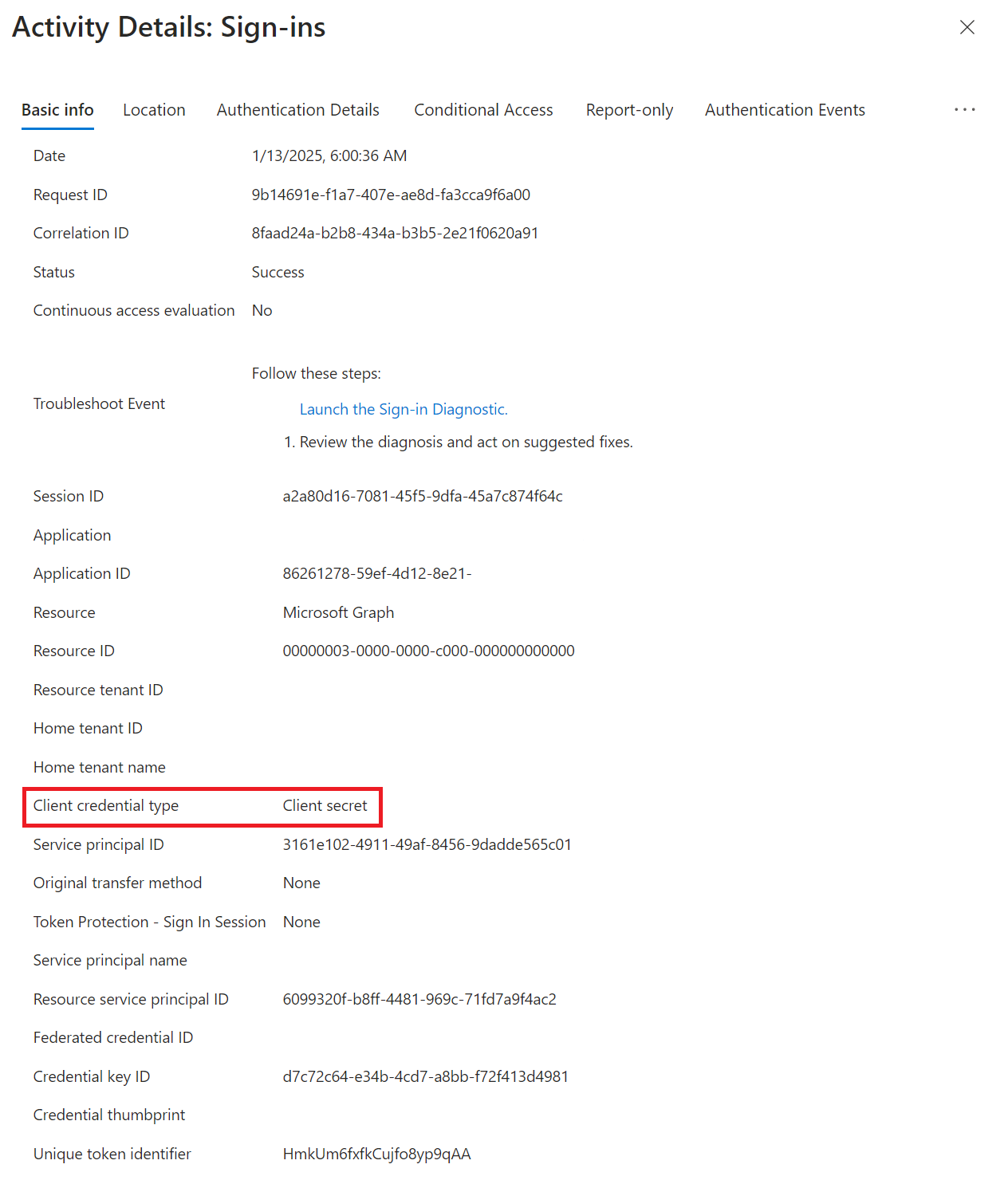 Example client credential type of a secret (password)
Whereas if the application is using certificates, the client credential type will show up as client assertion.
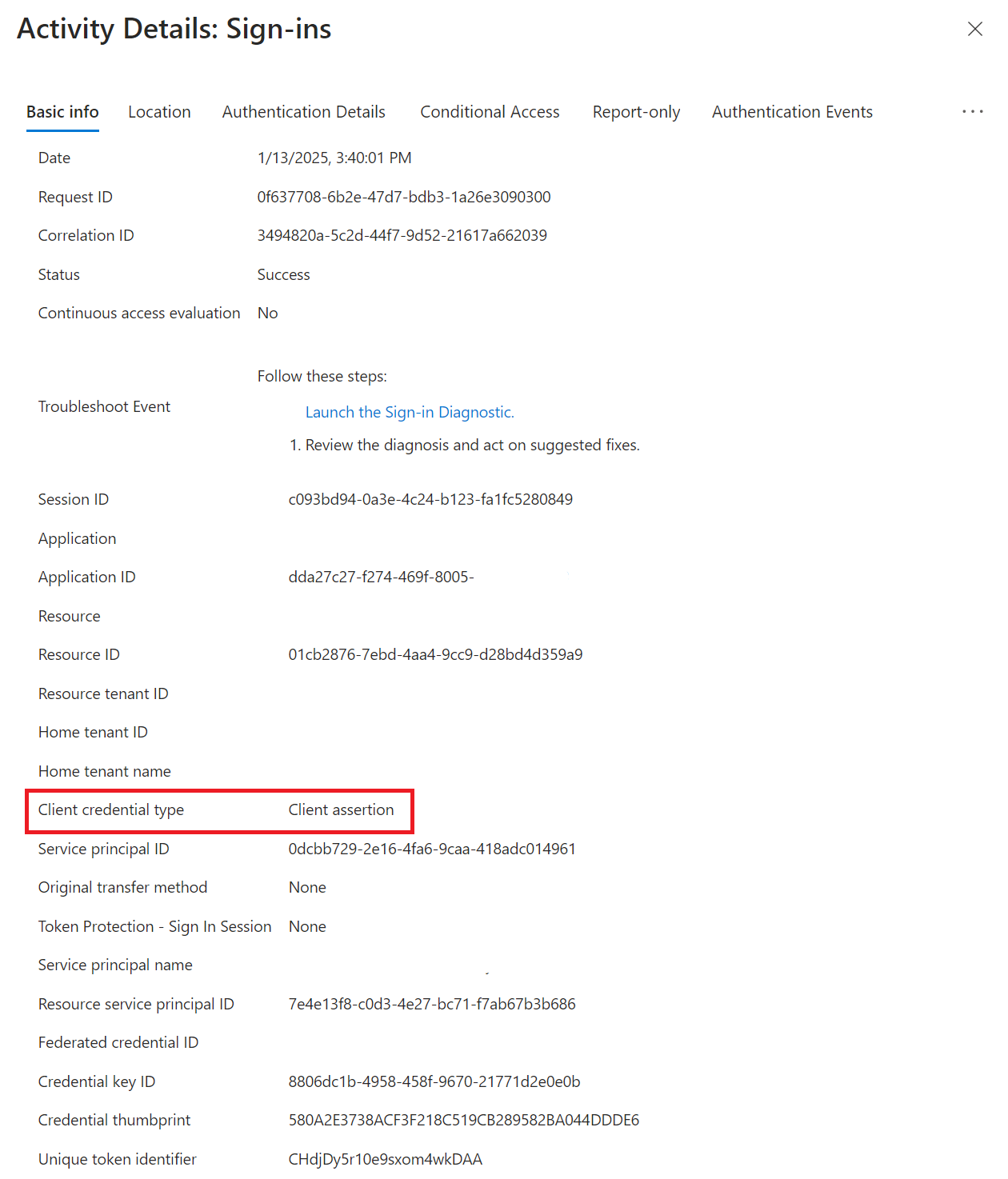 Example client credential type of assertion (certificate)
The unfortunate surprise is that the data available through Graph API does not match the data available in diagnostic logging.
In the portal, the backend queries for the audit logs are coming from the Graph API endpoint https://graph.microsoft.com/beta/auditLogs/signIns. We can determine the exact queries being used with Graph X-Ray, and then make the same queries to Graph, and see the raw results:
"value": [
    {
        "id": "c7db3bec-cb55-4ee7-8022-f51aa9603100",
        "createdDateTime": "2025-01-09T11:00:51Z",
        "userDisplayName": null,
        "userPrincipalName": null,
        "userId": "",
        "appId": "86261278-59ef-4d12-8e21-",
        "appDisplayName": "xxx",
        "ipAddress": "xxx",
        "ipAddressFromResourceProvider": null,
        "clientAppUsed": null,
        "userAgent": null,
        "correlationId": "a22a7306-b6ae-4501-b2be-9fe5af3e327c",
        "conditionalAccessStatus": "notApplied",
        "originalRequestId": "",
        "isInteractive": false,
        "tokenIssuerName": null,
        "tokenIssuerType": "UnknownFutureValue",
        "clientCredentialType": "clientSecret",
        "processingTimeInMilliseconds": -1,
        "riskDetail": "none",
The unfortunate surprise is that the data available through Entra diagnostic logging is not the same dataset.
Querying AADServicePrincipalSignInLogs is as simple as running the following KQL query:
We could then further filter this by the service principal, time range, and such. But the results, when we expand them, do not contain any information about the type of authentication.
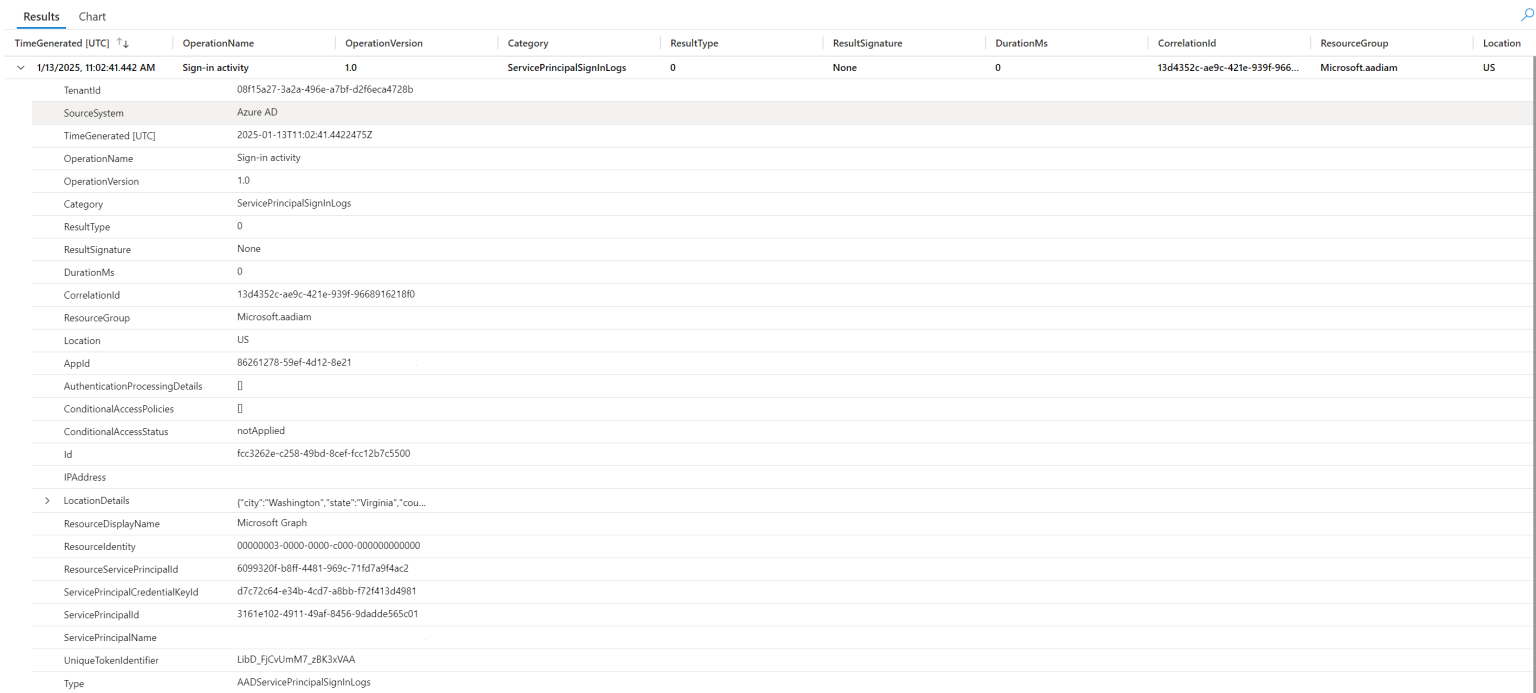 Example log analytic result of a service principal sign-in
The only bits of information relevant to the type of credential used are the servicePrincipalCredentialKeyId, but because the app registration is not in our tenant, we have no way of cross-referencing this. The service principal in our home tenant does not contain any references to the credentials on the app registration that we could correlate with either.
Graph Activity logs
Where our sign-in logs fail us, at least with our diagnostic logging, Graph activity logs have our back. Unfortunately, it’s likely that this sort of snooping alone does not make it worth it to enable Graph activity logs; organizations need to evaluate the cost that would come along with enabling these logs and the additional overhead in Log Analytics.
Because Graph activity logs can be a vast sea of data, the easiest way to examine a particular application is filtering by the service principal ID with a basic KQL query:
In the results, we can look at the ClientAuthMethod. If the method is 1, then a secret was used, such as below:
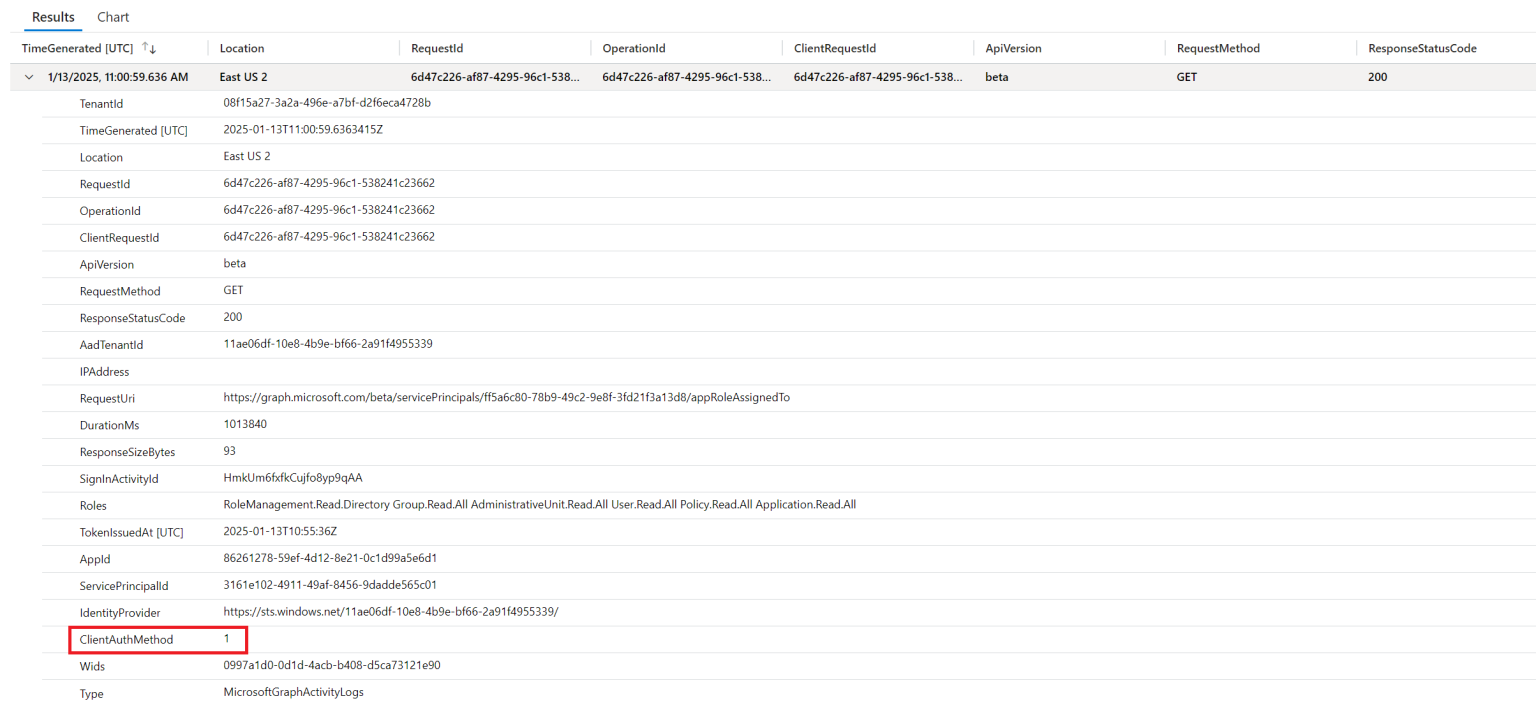 Example graph activity log showing a secret credential used
If ClientAuthMethod shows 2, then a certificate was used for authentication.
If we wanted to more efficiently search for ISV applications that are using secrets, we could cross-reference a list of known Microsoft applications by the application (client) ID, and then search our Graph activity log, also filtering only for ClientAuthMethod of 1, like the following:
let MicrosoftApps = externaldata(AppId: string)
    [@"https://raw.githubusercontent.com/merill/microsoft-info/main/_info/MicrosoftApps.json"]
    with (format="json");
MicrosoftGraphActivityLogs |
where ServicePrincipalId != "" and AppId !in (MicrosoftApps) and ClientAuthMethod == "1" |
distinct ServicePrincipalId
Our results should then show all service principal IDs for ISV software that are using secrets. Note my test tenant currently one has one:
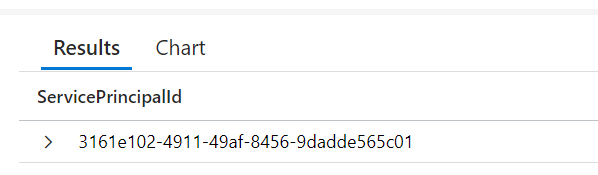
The resulting list of IDs be used in Graph or searching in Enterprise Applications to determine what application(s) are using secrets.
What to do with this data?
As a consumer of multi-tenant applications, the best (and only) way to impact change is to contact your software vendor, if you feel strongly that they should be using certificates. There is nothing from a technical standpoint, beyond stopping consumption of the application, that you can do to prevent the use of secrets.
When contacting your vendor, remind them of Microsoft (and industry best practices), which you can find here, Security best practices for application properties – Microsoft identity platform | Microsoft Learn. But note that software is hard, switching the credential type might be more complex on the backend than you may realize, and it might take the voice of many customers to really impact change.